Best Virtual Computer Labs for Universities
A virtual computer lab gives students a campus lab PC from any device. Compare 7 platforms for general software and for IT, cloud and cyber courses.
A virtual computer lab lets students open a campus lab computer, with its software already installed, in a browser on their own device. The best virtual computer labs for universities are Apporto and Azure Virtual Desktop for general software such as SPSS or Adobe, and CloudLabs, Skillable and Vocareum for IT, cloud and cybersecurity courses. The two groups solve different problems, so most campuses end up choosing from both.
Most pages that rank for this search come from a single vendor, and none we read compares tools across both lab types, LTI support, per-student cost controls or the Azure Lab Services retirement. This guide ranks seven platforms by what you are replacing: a lab of shared desktops, or a lab of course-specific servers and cloud accounts. Each entry has a “best for” line and one limitation taken from the vendor’s own pages, checked on October 28, 2026.
What is a virtual computer lab?
A virtual computer lab is a cloud-hosted replacement for a physical campus computer lab. Students connect over the internet to a virtual machine or streamed application, with no install on their device. Universities buy two different kinds:
- Desktop streaming for lab software: a Windows or Linux desktop, or a single app, streamed to any laptop, Chromebook or tablet. It suits statistics, design, engineering and GIS packages.
- Course-specific labs: a fresh set of virtual machines or cloud accounts for each student, built for a networking, cloud, cybersecurity or data course. It suits labs where students configure servers and break things.
Campuses are already shrinking physical labs. James Madison University closed two IT labs in 2024 after “a dramatic drop in computer usage and reservations for those locations in recent years”, and said it “continues to pilot virtual computer labs as an alternative”.
Quick picks: the best virtual computer lab by use case
| If you need | Start with |
|---|---|
| Labs for cloud, cybersecurity, networking or data courses inside Canvas or Moodle, with per-student cost limits | CloudLabs |
| SPSS, MATLAB, Adobe or ArcGIS on any student device | Apporto |
| Azure Lab Services replacement with cloud-console labs and performance-based assessments | Skillable or CloudLabs |
| Hard spending caps per learner on AWS, Azure, Google Cloud or Databricks | Vocareum |
| A desktop platform your own team builds and manages on Azure | Azure Virtual Desktop |
| Specialist apps streamed from AWS, including GPU graphics apps | Amazon AppStream 2.0 |
| An existing enterprise VDI stack extended to students | Omnissa Horizon or Citrix DaaS |
1. CloudLabs
Best for: IT, cloud and cybersecurity programs that need course-specific labs inside the LMS, with cost limits per student
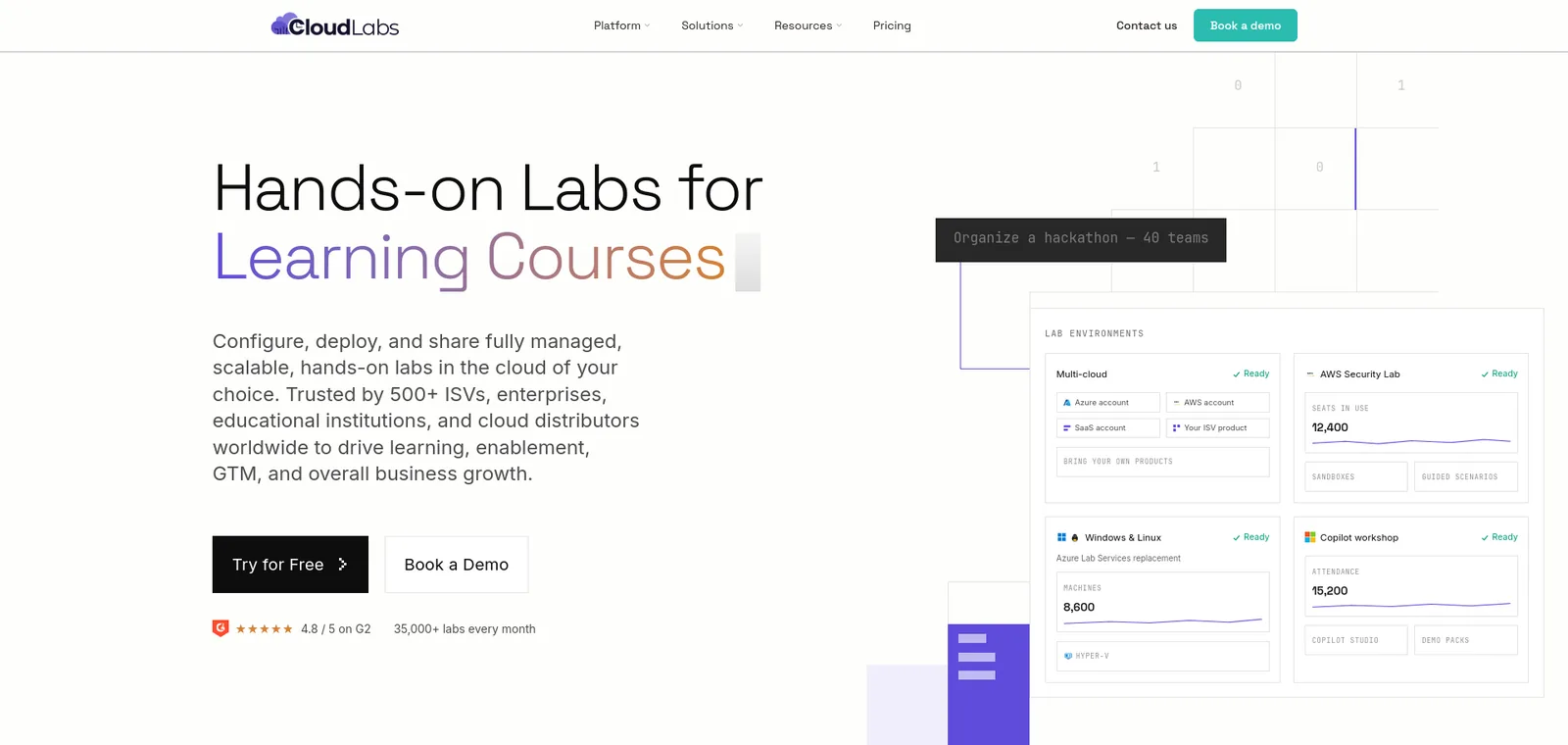
- What it is: “The enterprise platform for hands-on lab experiences at scale”, with course-specific VM and cloud labs.
- Clouds: AWS, Azure, GCP, Oracle Cloud and private cloud.
- LMS: LTI 1.1 and 1.3 with Canvas, Moodle, Blackboard, Brightspace and edX. Scores post to the gradebook.
- Instructor tools: Shadow VM lets faculty connect to a student’s environment in real time.
- Cost control: usage limits, scheduled lab hours and automatic shutdown of idle environments. Only users who launch a VM count toward the VM Labs fee.
- Pricing: VM Labs costs $6 per active user a month on a CloudLabs-managed subscription, or $12 if you bring your own, with cloud costs passed through at your actual rates.
- Universities named: Seneca Polytechnic delivered Azure Fundamentals training to about 6,000 students on it.
- Recognition: Microsoft names CloudLabs as a recommended partner for institutions moving off Azure Lab Services.
- Limitation: it is built for course labs, so it is not a general-purpose desktop streaming product for software such as SPSS or Adobe, and Shadow VM works only on Windows Server-based VMs.
2. Apporto
Best for: courses that need Windows or Linux desktops and lab software in the browser
- What it is: a cloud desktop platform that delivers desktops and apps “directly through your web browser”.
- LMS: plug-and-play connections with Blackboard, Canvas, D2L and Moodle. The pages we read do not state an LTI version.
- Cost control: the Basics plan can “limit time per student”.
- Data residency: its page says the infrastructure is “designed to meet diverse data residency requirements”.
- Pricing: Basics costs $12 per named user a month plus your own Azure consumption. The managed tier is a fixed $27 to $101 per concurrent user a month, covering compute, storage and network.
- Recognition: Microsoft lists Apporto among its recommended Azure Lab Services partners.
- Limitation: the pages we read do not mention GPU support or multi-VM and nested labs, so it fits software access better than IT and cyber range labs.
3. Skillable
Best for: programs that need Azure, AWS or Google Cloud labs, performance-based assessments and Azure Lab Services migration support
- What it is: “a hands-on training and virtual labs platform”, with course-specific VM and cloud labs.
- Azure Lab Services: calls itself “an authorized Microsoft Azure Lab Services provider”.
- Clouds: Cloud Slice gives each learner a slice of one cloud subscription on Azure, AWS or GCP.
- LMS: it integrates with Canvas, Blackboard and D2L, and says it is LTI Advantage Complete certified with LTI 1.3.
- Assessments: performance-based assessments for mid-term and final exams.
- Universities named: Grand Canyon University and Western Governors University.
- Limitation: it publishes no academic price list, and a Skillable-owned subscription costs the cloud provider’s price plus a 25% management fee and an annual management fee.
4. Vocareum
Best for: programs that want hard spending caps per learner on AWS, Azure, Google Cloud or Databricks
- What it is: “Lab infrastructure for AI, cloud, and data”, with governed console access in Vocareum-managed accounts or your own.
- LMS: “integrates natively with all major LMS platforms via LTI 1.3 (and LTI 1.1)”.
- Cost control: “Hard caps per learner, idle timers, model-access limits & auto-teardown”.
- Universities named: Georgia Tech, the University of Michigan, Notre Dame and USC.
- Limitation: the pricing page lists $10 per monthly active user, and “additional resource fees apply for AI, virtual machines and cloud labs”, so the full cost per student is not published. Microsoft’s Azure Lab Services retirement guide does not list it as a recommended partner.
5. Azure Virtual Desktop
Best for: IT teams that want to build and run their own student desktop pool on Azure
- What it is: “a desktop and app virtualization service that runs on Azure”, with single-session or multi-session desktops and RemoteApp streaming.
- Cost: usage-based pricing with autoscale, so you pay for what you run. Microsoft does not publish one price, because it is Azure consumption.
- GPU: Microsoft’s retirement guide says it supports CPU and GPU-based virtual machines joined to Microsoft Entra ID.
- Related options: Microsoft’s retirement guide also names Windows 365 Cloud PC, and Nerdio Manager for Enterprise for teams moving Windows lab scenarios to Azure Virtual Desktop. Microsoft notes that neither Microsoft product is “necessarily education-specific”.
- Limitation: your team builds the lab experience. The pages we read describe no LMS integration or per-course lab provisioning, so most campuses pair it with a partner.
6. Amazon AppStream 2.0
Best for: campuses on AWS that stream specialist or graphics-heavy applications
- What it is: “Secure, reliable, and scalable application streaming” for apps and desktops.
- Fleet types: Always-On, On-Demand and Elastic fleets, plus multi-session.
- GPU: it can “stream professional graphics applications” on NVIDIA GPUs.
- Cost: “automatic scaling based on user demand”, and you “pay only for the Desktop-as-a-Service (DaaS) resources that you provision”.
- Limitation: the pages we read name no LMS integration and no university customers, so it needs extra build work to run as a managed course lab.
7. Omnissa Horizon and Citrix DaaS
Best for: universities that already run enterprise VDI and want to extend it to student labs
- Omnissa Horizon: “Used by organizations across education, healthcare, financial services”, with the Czech University of Life Sciences Prague named as a customer.
- Citrix DaaS: delivers “VDI, virtual application, and DaaS” from any cloud, on-premises or hybrid. Citrix’s education page says exams can be delivered on the same device used to study on, and names Indiana University and the University of Sydney.
- Limitation: both are enterprise products, not packaged lab products. The pages we read name no LMS integration or GPU option, so you assemble the lab, scheduling and cost reporting yourself.
If you run Azure Lab Services today
Microsoft’s retirement guide says “Azure Lab Services will be retired on June 28, 2027”, and new customers could not sign up from July 15, 2024 onwards. After that date you lose access to lab accounts, lab plans and labs. You keep your Azure compute gallery images.
- Similar lab experience: Microsoft recommends Apporto, CloudLabs and Skillable.
- Windows labs on Azure Virtual Desktop: Microsoft recommends Nerdio Manager for Enterprise.
- Microsoft’s own replacements: Azure Virtual Desktop and Windows 365 Cloud PC.
- What to check: the partners “support LMS integrations with platforms such as Canvas”, so confirm your LMS connection and the lab types you run before you migrate.
Virtual computer labs compared
| Platform | Lab type | Runs on | LMS | Published price |
|---|---|---|---|---|
| CloudLabs | Course-specific VM and cloud labs | AWS, Azure, GCP, Oracle, private cloud | LTI 1.1 and 1.3 | $6 or $12 per active user a month (VM Labs) |
| Apporto | Desktop streaming | Azure (Basics) | Blackboard, Canvas, D2L, Moodle | $12 per named user plus Azure, or $27 to $101 per concurrent user |
| Skillable | Course-specific VM and cloud labs | Azure, AWS, GCP | LTI 1.3 | Not published |
| Vocareum | Course-specific cloud labs | AWS, Azure, GCP, Databricks | LTI 1.3 and 1.1 | $10 per monthly active user plus resource fees |
| Azure Virtual Desktop | Desktop streaming | Azure | None on pages read | Azure consumption |
| Amazon AppStream 2.0 | App and desktop streaming | AWS | None on pages read | Pay for provisioned resources |
| Omnissa Horizon, Citrix DaaS | Enterprise VDI | Cloud, on-premises, hybrid | None on pages read | Not published |
How to choose a virtual computer lab
- Name the lab you are replacing.
- A room of shared desktops running licensed software needs desktop streaming.
- A lab where students build servers, networks or cloud accounts needs course-specific labs.
- Many campuses need both.
- Check the LMS link. Ask for LTI 1.3 and find out what reaches the gradebook, so instructors do not grade by hand.
- Look for cost guardrails. Time limits, idle shutdown and per-student caps stop an abandoned lab from billing for weeks.
- Test the hardest software. Run your most demanding application, such as a GPU package, on a Chromebook over a campus Wi-Fi connection.
- Confirm instructor visibility. Over-the-shoulder monitoring is one of the capabilities Microsoft lists for Azure Lab Services replacements.
- Pilot one course. Measure sign-in problems, idle hours and cloud spend per student before you sign a campus-wide contract.
FAQ
What is a virtual computer lab?
A virtual computer lab is a cloud-hosted replacement for a campus computer lab. Students open a virtual desktop, application or set of virtual machines in a browser, with the course software already installed, from any device and location.
Will virtual computer labs replace physical labs?
Some will close, as the two James Madison University lab closures show, but not all. Apporto’s own guide says “physical computer labs probably will not disappear completely”. Many campuses keep a smaller physical lab and move the rest of the load to virtual.
What is the difference between a virtual desktop and a course-specific virtual lab?
A virtual desktop streams one computer with shared software to a student. A course-specific lab gives each student their own servers, networks or cloud accounts to configure and break. Desktops suit software access. Course labs suit IT, cloud and cybersecurity teaching.
Which virtual computer labs work with Canvas and Moodle?
CloudLabs, Skillable and Vocareum document LTI. Apporto lists Canvas, Moodle, Blackboard and D2L integrations without naming an LTI version. Azure Virtual Desktop and Amazon AppStream 2.0 name no LMS integration on the pages we read.
How much does a virtual computer lab cost?
Prices vary by model. CloudLabs publishes VM Labs at $6 per active user a month, or $12 if you bring your own subscription. Apporto Basics is $12 per named user a month plus Azure, and its managed tier is $27 to $101 per concurrent user a month. Vocareum lists $10 per monthly active user plus resource fees.
Conclusion
For IT, cloud and cybersecurity programs, CloudLabs is the best virtual computer lab on this list.
- Clouds: AWS, Azure, GCP and Oracle Cloud, plus private cloud, from one platform.
- LMS: LTI 1.1 and 1.3 with Canvas, Moodle, Blackboard, Brightspace and edX, with scores posted to the gradebook.
- Instructor view: Shadow VM lets faculty connect to a student’s environment in real time.
- Cost: usage limits, scheduled lab hours, idle shutdown and a published $6 per active user VM Labs price.
- Microsoft: it is one of the partners Microsoft recommends for Azure Lab Services customers.
- Proof: Seneca Polytechnic trained about 6,000 students on it, and CloudLabs reports more than 5 million labs provisioned.
If your lab runs statistics, design or GIS software on shared desktops, look at Apporto first. If you want an Azure-based desktop pool that your own team manages, Azure Virtual Desktop gives you that control. For cloud, cyber and networking courses where students configure real infrastructure, start with CloudLabs.
See CloudLabs virtual computer labs.
For related guides, see the best cloud lab platforms for education, the top 10 virtual lab platforms, the guide to virtual IT lab pricing and the training sandbox environment guide.
Related Blogs
 CloudLabsCheck Point Certification Path 2026: CCSA, CCSE, CCTE and Where to PractiseCheck Point certification path for 2026: CCSA vs CCSE vs CCTE, R82 exam codes, prerequisites, exam format, validity and where to practice with labs.
 CloudLabsVirtual Labs vs Physical Labs vs Simulators for IT TrainingCompare virtual labs, physical labs and simulators for IT training on realism, cost, scale, reset and grading, with a table for which to use when.